
Are you thinking of starting a blog? Whether you’re a beginner or an experienced blogger, choosing the right hosting service is essential. One popular hosting provider for bloggers is Bluehost. In this article, we’ll give you a comprehensive guide to Bluehost’s blog hosting services. We’ll cover everything from the basics of blog hosting to the features Bluehost offers, and we’ll also discuss how to get started with Bluehost and grow your blog.
IN THIS POST:
- What is Bluehost?
- Why choose Bluehost for your blog?
- Bluehost features for bloggers
- One-click WordPress installation
- Free domain name
- Custom email accounts
- SSL certificate
- Site backup and security
- Scalability
- How to sign up for Bluehost blog hosting
- Choose a plan
- Select a domain name
- Create your Bluehost account
- Install WordPress
- Tips for growing your blog with Bluehost
- Create quality content
- Promote your blog
- Utilize Bluehost resources
- Stay engaged with your audience
- Monitor your site’s performance
- Bluehost blog hosting FAQs
- What is the difference between shared and managed WordPress hosting?
- Can I switch hosting plans with Bluehost?
- How long does it take to set up a Bluehost account and install WordPress?
- Does Bluehost offer website design services?
- How can I contact Bluehost customer support?
- Conclusion
What is Bluehost?
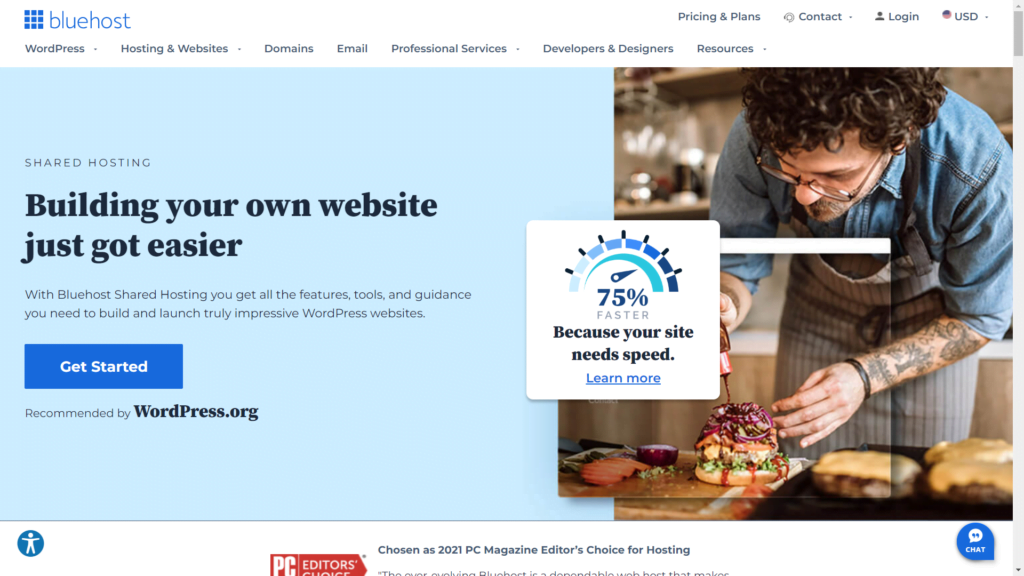
Bluehost is a web hosting company that was founded in 2003. It is owned by Endurance International Group, which also owns other hosting companies such as HostGator and iPage. Bluehost is known for its affordable pricing, reliable performance, and user-friendly interface. The company offers a range of hosting services, including shared hosting, dedicated hosting, and WordPress hosting.
Why choose Bluehost for your blog?
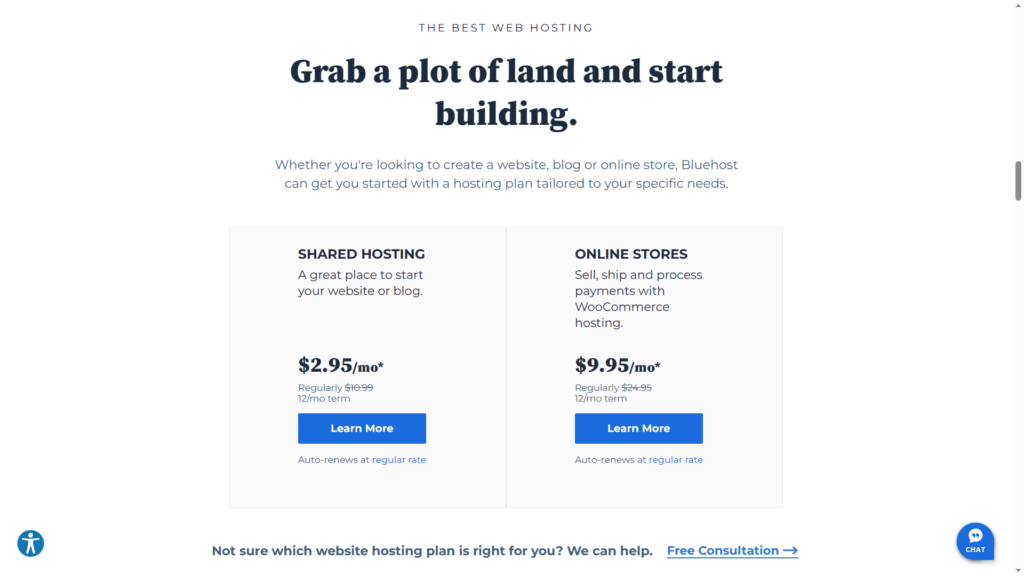
There are many reasons why Bluehost is a popular choice for bloggers. Firstly, Bluehost is one of the most affordable hosting services on the market. It offers competitive pricing plans that start at just $2.95 per month. Additionally, Bluehost has a user-friendly interface that makes it easy for beginners to set up and manage their blogs. Finally, Bluehost is known for its reliable performance, with an uptime guarantee of 99.9%.
Bluehost features for bloggers
Bluehost offers a range of features that are specifically designed for bloggers. Let’s take a look at some of the most important features:
One-click WordPress installation
Bluehost offers one-click WordPress installation, which means that you can set up your blog quickly and easily. WordPress is the most popular blogging platform, and it’s a great choice for bloggers of all levels of experience.
Free domain name
Bluehost offers a free domain name for the first year when you sign up for a hosting plan. This can save you money and make it easier to establish your blog’s online presence.
Custom email accounts
With Bluehost, you can create custom email accounts that are associated with your domain name. This gives your blog a professional look and makes it easier to manage your email communications.
SSL certificate
An SSL certificate is important for securing your blog and protecting your visitors’ personal information. Bluehost offers a free SSL certificate with all of its hosting plans.
Site backup and security
Bluehost offers automatic site backups, which means that your blog’s content is always protected in case of a website crash or other issue. Bluehost also provides enhanced site security features, including protection against malware and spam.
Scalability
As your blog grows, you may need more resources to support increased traffic and content. Bluehost offers scalable hosting plans that can accommodate your blog’s changing needs.
How to sign up for Bluehost blog hosting
Signing up for Bluehost blog hosting is easy. Here are the steps to follow:
Choose a plan
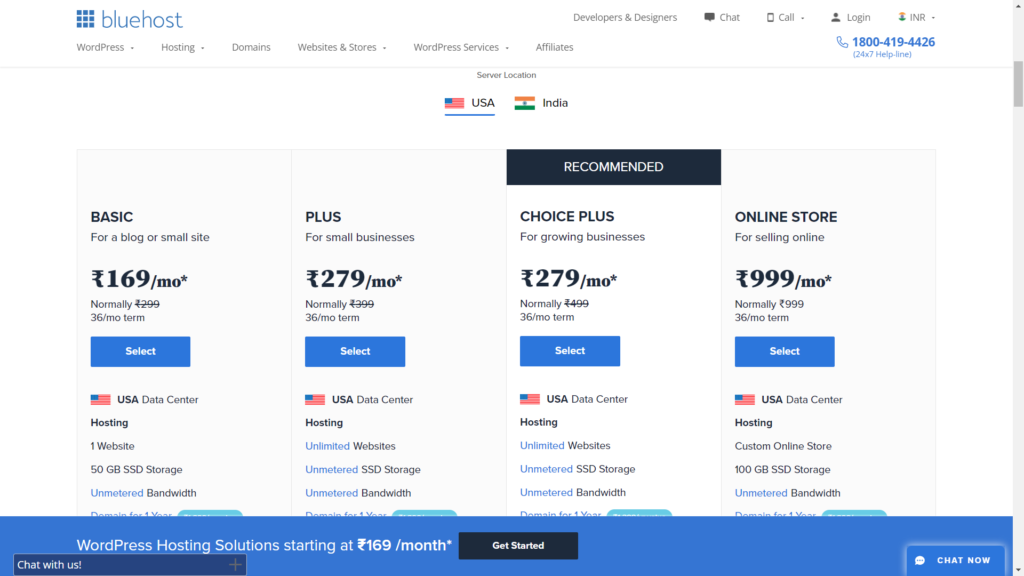
Bluehost offers a range of hosting plans, including shared hosting, managed WordPress hosting, and VPS hosting. Choose the plan that best suits your blog’s needs.
Select a domain name
Choose a domain name for your blog. If you don’t already have a domain name, you can register one for free with Bluehost.
Create your Bluehost account
Fill out the registration form to create your Bluehost account. You’ll need to provide your personal information and payment details.
Install WordPress
Once you’ve created your Bluehost account, you can use the one-click WordPress installation feature to set up your blog. Follow the prompts to customize your site’s appearance and start creating content.
Tips for growing your blog with Bluehost
Here are some tips for using Bluehost to grow your blog:
Create quality content
The most important aspect of any blog is its content. Create high-quality, engaging content that is relevant to your target audience.
Promote your blog
Use social media, email marketing, and other promotional tactics to drive traffic to your blog.
Utilize Bluehost resources
Bluehost offers a range of resources, including site analytics, marketing tools, and SEO optimization features, that can help you grow your blog.
Stay engaged with your audience
Interact with your readers by responding to comments, hosting Q&A sessions, and soliciting feedback.
Monitor your site’s performance
Regularly check your site’s performance metrics, such as traffic and engagement, to identify areas for improvement.
Bluehost blog hosting FAQs
Here are some frequently asked questions about Bluehost blog hosting:
Can I switch hosting plans with Bluehost?
Yes, you can upgrade or downgrade your hosting plan at any time.
What is the difference between shared and managed WordPress hosting?
Shared hosting means that your blog shares server resources with other websites. Managed WordPress hosting is specifically designed for WordPress sites and offers additional features and support.
How long does it take to set up a Bluehost account and install WordPress?
Setting up a Bluehost account takes just a few minutes, and the one-click WordPress installation process is also quick and easy.
Does Bluehost offer website design services?
Yes, Bluehost offers website design services for an additional fee.
How can I contact Bluehost customer support?
Bluehost offers 24/7 customer support via phone, live chat, and email.
Does Bluehost offer a money-back guarantee?
Yes, Bluehost offers a 30-day money-back guarantee. If you’re not satisfied with the service, you can cancel your account and receive a full refund within 30 days of signing up.
How often does Bluehost perform site backups?
Bluehost performs daily site backups, which means that your content is always protected.
Does Bluehost offer a free trial period?
No, Bluehost does not offer a free trial period. However, they do offer a 30-day money-back guarantee.
Can I transfer my existing blog to Bluehost?
Yes, Bluehost offers free website transfers for new customers. They will transfer your website’s files, databases, and settings to your new Bluehost account.
Conclusion
Bluehost is an affordable, reliable, and user-friendly hosting service that is a great choice for bloggers of all levels of experience. With its one-click WordPress installation, free domain name, and range of features designed specifically for bloggers, Bluehost makes it easy to start and grow your blog. Whether you’re a beginner or an experienced blogger, Bluehost is a hosting provider worth considering.
START BLOG WITH BLUEHOST BLOG
If you’re looking for an affordable and reliable hosting service for your blog, Bluehost is definitely worth considering. With its user-friendly interface, one-click WordPress installation, and range of features designed specifically for bloggers, Bluehost makes it easy to get started and grow your blog. And with 24/7 customer support and daily site backups, you can rest assured that your blog is in good hands. So why not sign up for Bluehost blog hosting today and start sharing your voice with the world? Start with Hostinger








Leave a Comment