Are you new to Google and want to create a Google account? Whether you want to use Google’s services, such as Gmail, Google Drive, or YouTube, you need a Google account. In this article, we’ll guide you through the process of creating a Google account step-by-step. Let’s get started!
Table of Contents
In This Post
- Introduction
- Why do you need a Google Account?
- Step-by-Step Guide to Creating a Google Account
- Step 1: Go to the Google Account Sign Up page
- Step 2: Enter your basic information
- Step 3: Choose a unique username
- Step 4: Create a strong password
- Step 5: Add a phone number (optional)
- Step 6: Add recovery email (optional)
- Step 7: Verify your account
- Tips for Creating a Strong Password
- Frequently Asked Questions (FAQs)
- Conclusion
Introduction
Google is one of the most popular search engines and provides a wide range of services to its users. These services include email (Gmail), cloud storage (Google Drive), video sharing (YouTube), and many more. To use any of these services, you need a Google account. Creating a Google account is easy, and we’ll guide you through the process step-by-step.
Why do you need a Google Account?
Creating a Google account gives you access to a wide range of services, including email, cloud storage, video sharing, and many more. With a Google account, you can also synchronize your data across multiple devices. This means you can access your data, such as emails, documents, and photos, from anywhere with an internet connection.
Step-by-Step Guide to Google Account Sign up
Step 1: Go to the Google Account Sign Up page
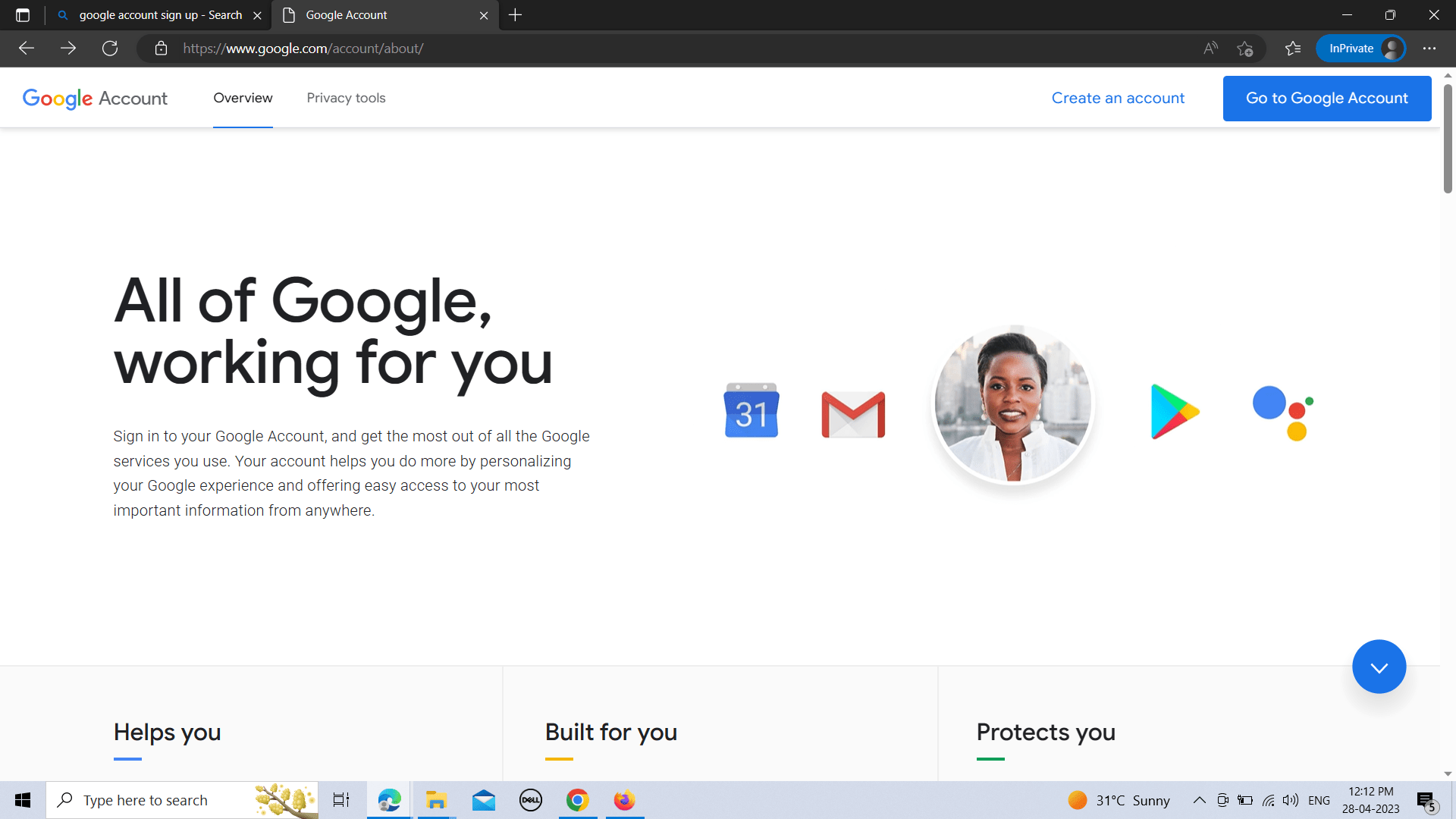
To create a Google account, the first step is to go to the Google Sign Up page. You can access this page by clicking on the “Sign in” button on the Google homepage, then select the “Create account” option.
Step 2: Enter your basic information
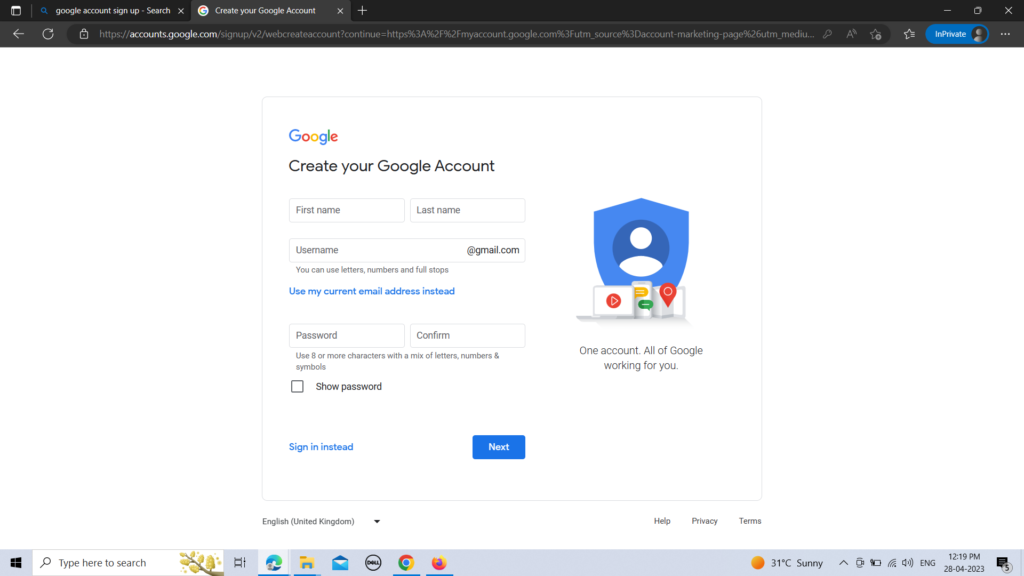
After clicking on the “Create account” option, you’ll be redirected to a page where you need to enter your basic information. This includes your first and last name, birth date, and gender.
Step 3: Choose a unique username
The next step is to choose a unique username. Your username will be your email address, which you’ll use to log in to your Google account. Choose a username that is easy to remember and reflects your identity.
Step 4: Create a strong password
After choosing a username, you need to create a strong password. A strong password should be at least eight characters long and should include a combination of uppercase and lowercase letters, numbers, and special characters. Avoid using common words or phrases as your password, as these can be easily guessed.
Step 5: Add a phone number (optional)
Adding a phone number to your Google account is optional, but it’s highly recommended. This will make it easier for you to recover your account if you forget your password or get locked out of your account.
Step 6: Add recovery email (optional)
You can also add a recovery email to your Google account, which will be used to recover your account if you forget your password or get locked out of your account.
Step 7: Verify your account
The final step is to verify your account. Google will send you a verification code to your phone number or recovery email. Enter the code in the verification field, and your account will be verified.
Tips for Creating a Strong Password
Creating a strong password is essential to protect your account from unauthorized access. Here are some tips for creating a strong password:
- Use a combination of uppercase and lowercase letters, numbers, and special characters.
- Avoid using common words or phrases.
- Don’t use personal information, such as your name, birth date, or phone number.
- Use a different password for each of your accounts.
- Use a password manager to generate and store strong passwords.
Frequently Asked Questions (FAQs)
Q1. Is it free to create a Google account?
Yes, creating a Google account is completely free.
Q2. Can I use my existing email address to create a Google account?
No, you need to create a new email address when creating a Google account.
Q3. Do I need to provide my phone number to create a Google account?
Providing your phone number is optional, but it’s highly recommended to add it for account recovery purposes.
Q4. Can I use my Google account for business purposes?
Yes, you can use your Google account for business purposes, but it’s recommended to create a separate account for personal and professional use.
Q5. Can I change my Google account username?
Yes, you can change your Google account username at any time.
Conclusion
Creating a Google account is easy, and it gives you access to a wide range of services provided by Google. In this article, we’ve provided a step-by-step guide to creating a Google account, along with some tips for creating a strong password. If you have any more questions, check out the FAQs section above. So, go ahead and Google account sign up today and enjoy the benefits of using Google’s services.
people also read how to create business email









Leave a Comment