
Gmail is one of the most popular and widely used email services in the world, offering a range of features that make it an excellent choice for individuals as well as businesses. In this article, we will guide you through the process of creating a Gmail Business account step by step.
Step 1: Sign up for G Suite
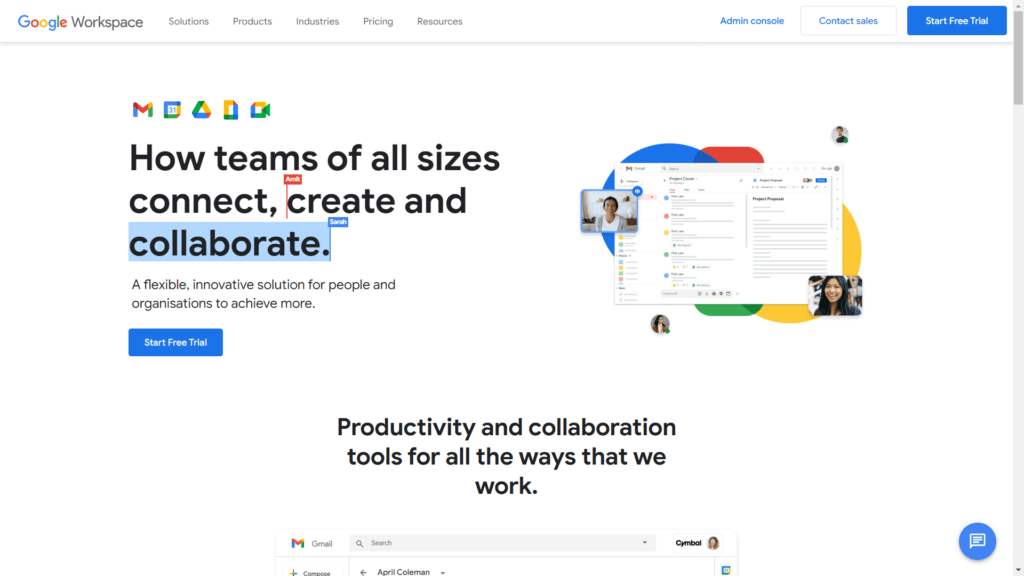
To create a Gmail Business account, you need to sign up for G Suite, which is Google’s suite of cloud-based productivity applications for businesses. Start by visiting the G Suite website and clicking on the “Get started” button.
Step 2: Enter Your Business Information
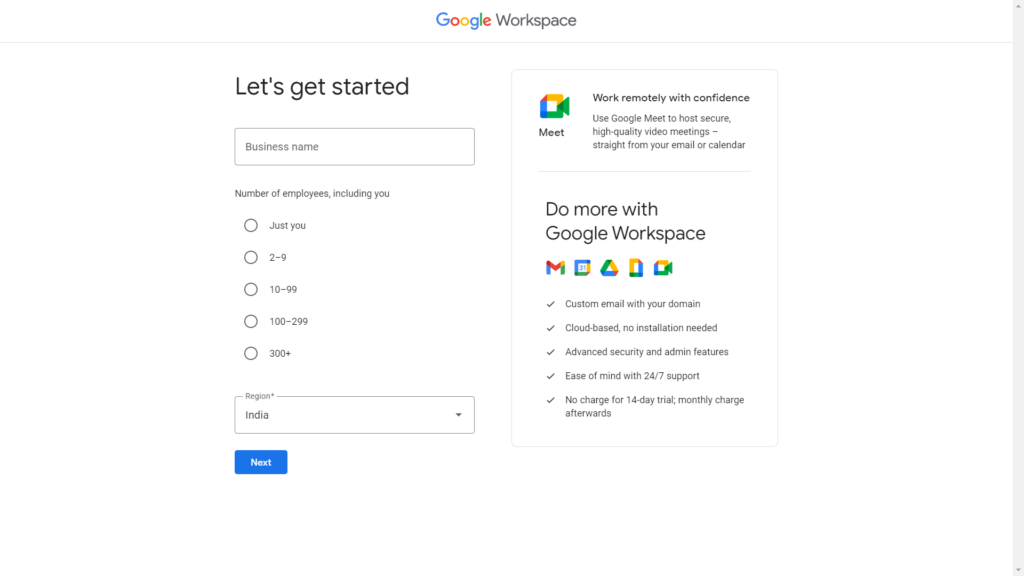
After clicking on the “Get started” button, you will be asked to enter your business information, such as your business name, the number of employees, and your country.
Step 3: Choose a Plan
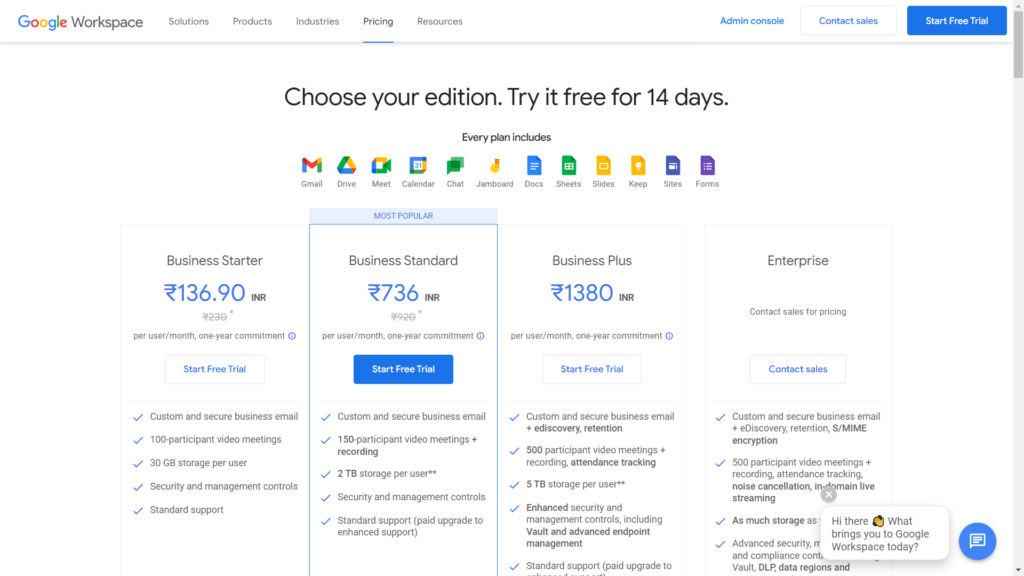
Next, you will need to select a plan that best suits your business needs. G Suite offers three plans: Basic, Business, and Enterprise. The Basic plan costs $6 per user per month and includes features such as custom email addresses, video and voice conferencing, and shared calendars. The Business plan costs $12 per user per month and includes additional features such as unlimited storage and archiving tools. The Enterprise plan is designed for larger organizations with more complex needs and includes advanced security and administration features.
Step 4: Set Up Your Account
Once you have selected your plan, you will be asked to set up your account. This involves choosing a domain name for your email address (e.g., [email protected]), creating user accounts for your employees, and configuring your domain settings.
Step 5: Verify Your Domain
After setting up your account, you will need to verify your domain ownership to ensure that you have control over the domain. This involves adding a TXT record to your domain’s DNS settings or uploading an HTML file to your website.
Step 6: Create Your Email Accounts
Once your domain is verified, you can create your email accounts. This involves choosing a username and password for each account and configuring the settings for each user.
Step 7: Start Using Your Gmail Business Account
After creating your email accounts, you can start using your Gmail Business account. You can access your email from anywhere using any device, and you can also use other G Suite applications such as Google Drive, Google Docs, and Google Sheets.
In conclusion, creating a Gmail Business account is a simple and straightforward process that can be completed in just a few easy steps. By following the steps outlined in this article, you can set up your Gmail Business account quickly and start using it to improve your business productivity and efficiency.









Leave a Comment